Documentation Index

Fetch the complete documentation index at: https://rockboxzig.mintlify.app/llms.txt

Use this file to discover all available pages before exploring further.

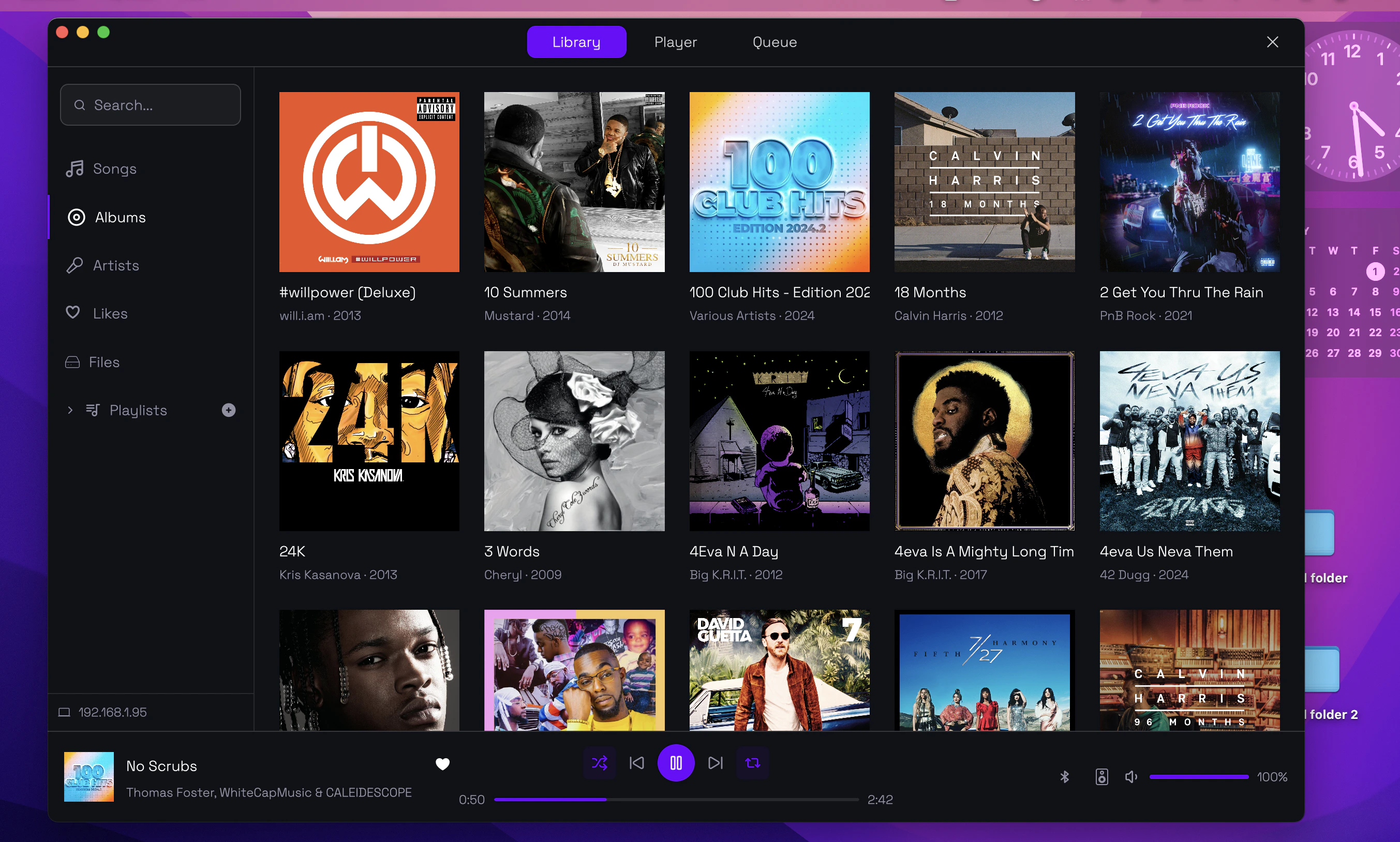
Two native desktop clients are maintained alongside rockboxd:
  • macOS (GPUI) — built on Zed’s native UI toolkit, ships as a .dmg
  • Linux (GTK4) — distributed as a Flatpak
Both connect to a running rockboxd instance over GraphQL.
Rockbox desktop client

macOS (GPUI)

Download the latest .dmg from the Releases page or build from source:
cd gpui
cargo run --release
Features:
  • Full library browsing and search
  • Drag-and-drop queue management
  • Native macOS media keys & Now Playing card via MPRIS-equivalent integration
  • Right-click context menus for tracks, albums and folders
  • Dark / light mode follows the system

Linux (GTK4)

The GTK4 client is published as a Flatpak. Build from source:
sudo apt-get install flatpak
flatpak remote-add --if-not-exists --user flathub \
  https://dl.flathub.org/repo/flathub.flatpakrepo
flatpak install --user flathub org.flatpak.Builder
flatpak install --user flathub org.gnome.Sdk/x86_64/47
flatpak install --user flathub org.gnome.Platform/x86_64/47
flatpak install --user org.freedesktop.Sdk.Extension.rust-stable
flatpak install --user org.freedesktop.Sdk.Extension.llvm18

cd gtk
flatpak run org.flatpak.Builder \
  --user --disable-rofiles-fuse --repo=repo \
  flatpak_app build-aux/io.github.tsirysndr.Rockbox.json --force-clean

flatpak run org.flatpak.Builder \
  --run flatpak_app build-aux/io.github.tsirysndr.Rockbox.json rockbox-gtk

Connecting to a remote rockboxd

Both desktop clients accept a non-default host and port — useful when rockboxd runs on a NAS or Raspberry Pi:
  • macOS — Settings → Connection → Host / Port
  • GTK — Preferences → Server
If you put rockboxd behind a reverse proxy with TLS, use the httpUrl / wsUrl overrides under Connection settings.